Mixer Setup and Calibration
caution
Before starting on this step the Servos should already be connected and calibrated.
Set mixer type
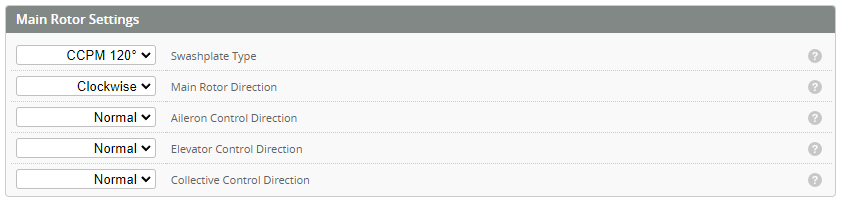
- Choose the Swashplate type to suit your helicopter swash arrangement.
- Choose the Main rotor direction. Generally this is clockwise however some scale helicopters are anticlockwise.
- Check Control directions. With the transmitter on and servos powered.
- Command a roll to the right on the Tx. Check the swash rolls right. Reverse direction is required.
- Command the elevator to pitch forward on the Tx. Check the swash pitches forward. Reverse direction is required.
- Increase collective on the Tx. Check collective angle also increases. Reverse direction is required.
Calibrating The mixer
note
The purpose of the mixer calibration is to set the helicopters physical blade angle to the angle commanded by the FC
Mixer override
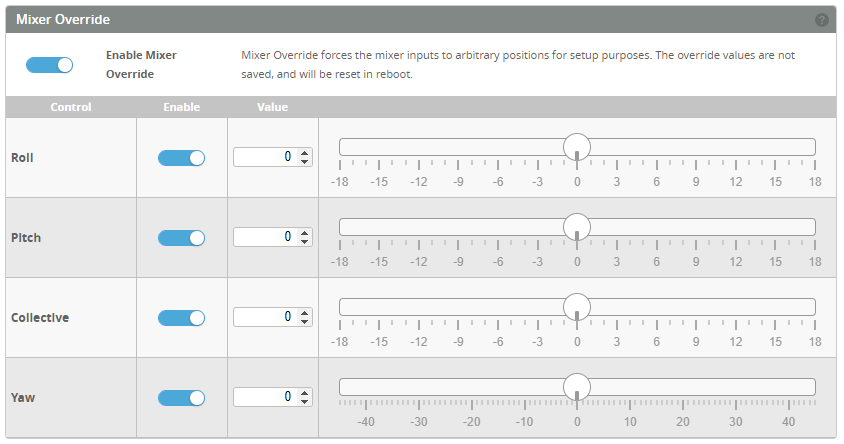
Set the mixer override at the bottom of the pages to ON. This will open the override window.
Level the swashplate and blade pitch to zero
- With the Mixer override enabled and all set to 0 degrees as above (servo arms should be at 90 deg).
- Trim the swashplate to level using the ball links.
note
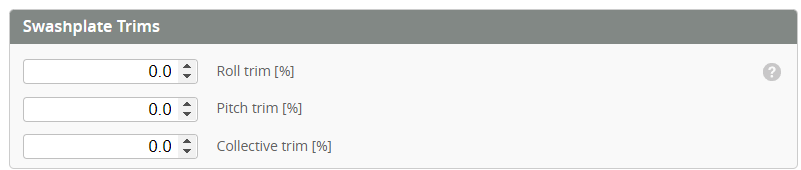
If the link arms are not adjustable then use the Roll trim and Pitch trim as required.
- Adjust the upper link arms to zero the blade pitch. If the link arms are not adjustable use the Collective trim to zero.
Collective Calibration
- Confirm with a blade pitch tool that with collective mixer at 0 deg the blades are also at 0 deg.
- Set the collective mixer override to 9 deg. Measure the blade angle.
- If the Blade angle is different from the Override angle, increase or decrease Collective Calibration % until the bade angle matches.
- Set collective back to 0 deg.
Cyclic Calibration
- Set the pitch override to 9 deg.
- Measure the blade pitch
- Increase or decrease the Cyclic Calibration %
Variable Pitch Yaw Calibration
- Set YAW override to 0 deg.
- Adjust the push rod length so that the rear tail L arm is 90°.
- If this does not give 0° blade pitch, adjust Center trim until you have 0° blade pitch.
- Set mixer yaw override to 22deg CW/CCW, adjust Yaw Calibration % until you have around 45deg both ways.
Note 22 is close enough to 1/2 of 45 deg. - Set mixer yaw override to 60deg CW/CCW, adjust CW / CCW blade angle limits to the maximum number that does not causing binding.
Setup video
note
- The calibration and CW / CCW limits vs. blade pitch is never perfect, because of the geometry asymmetry. It does not matter.
- The reason for doing the calibration is to make the PID defaults better. Without the calibration, all defaults in PID Profile are probably wrong.
- The Centre trim is mostly needed for making the CW/CCW blade angle limit numbers to match the blade angles. It also helps the feedforwards to work correctly.