Presets
Presets provide an easy way to configure a Rotorflight setup or share tuning parameters with others. They can be used for anything from a single configuration change to a complete helicopter setup.
For example, a preset can configure the automatic shutdown of a buffer pack, enable and configure ESC telemetry, or contain the complete configuration and tuning parameters for a specific helicopter.
Presets make it simple to apply proven configurations consistently and share them with other Rotorflight users.
Do you have ideas for presets? Please share your ideas in the Discord or Facebook group and we will check what we can do.
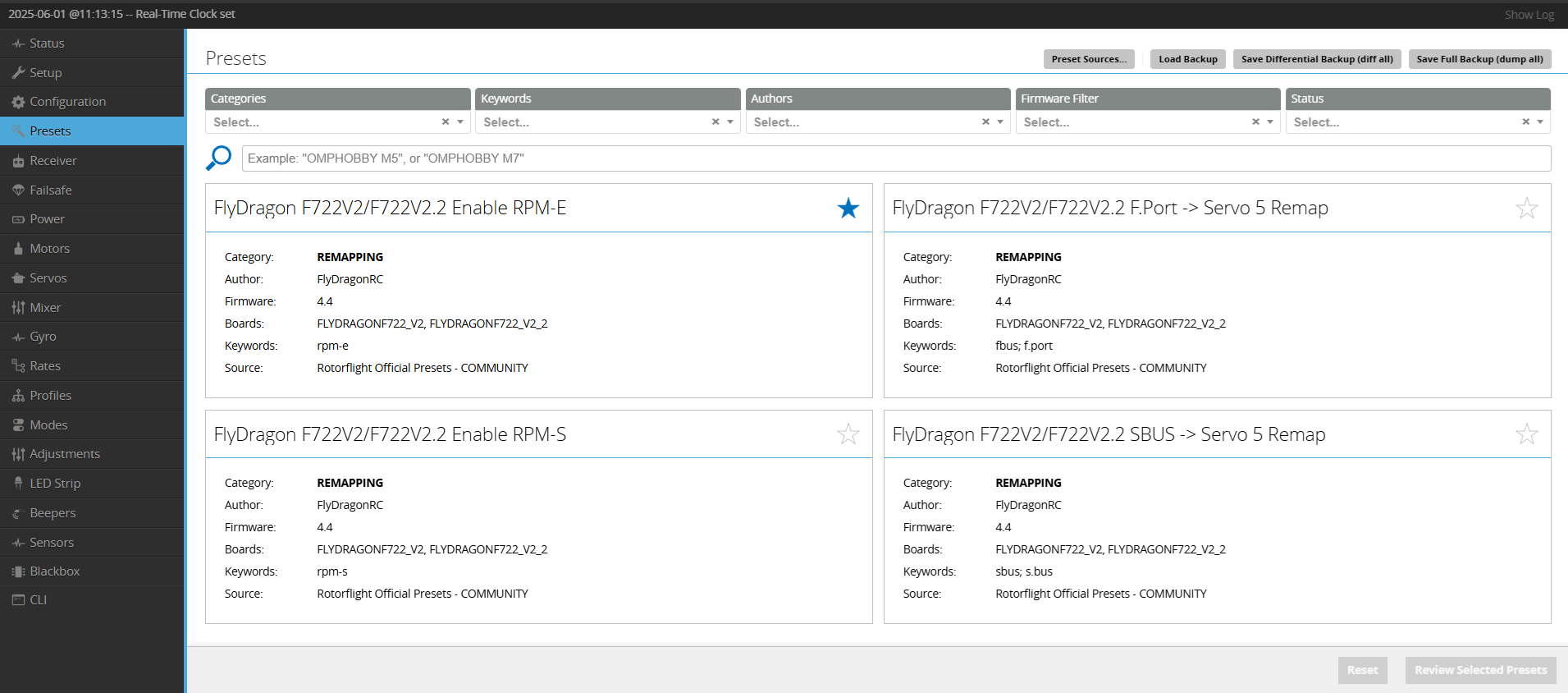
How to apply a preset to your flight controller
- Click on a preset and the preset will open

- If there are options in the preset, choose the right option. Sometimes you can select only one or multiple depending on the preset. You can view the CLI code if you click on the "Show CLI" button. After clicking the Select button, it goes back to the preset screen.

- Now, on the right corner, you see a "Review selected presets" button. After you click that, you see which presets you have selected. You can still edit them here.

- After clicking Review, you will get the last screen with all the CLI code applied in the CLI screen. If you now click on Execute, the preset will be applied.

- After executing you will see this screen. You can still abort the preset when you click on "Cancel and Reboot". It will not save the changes. If you click on "Save and Reboot", it will save it and you can't go back anymore.