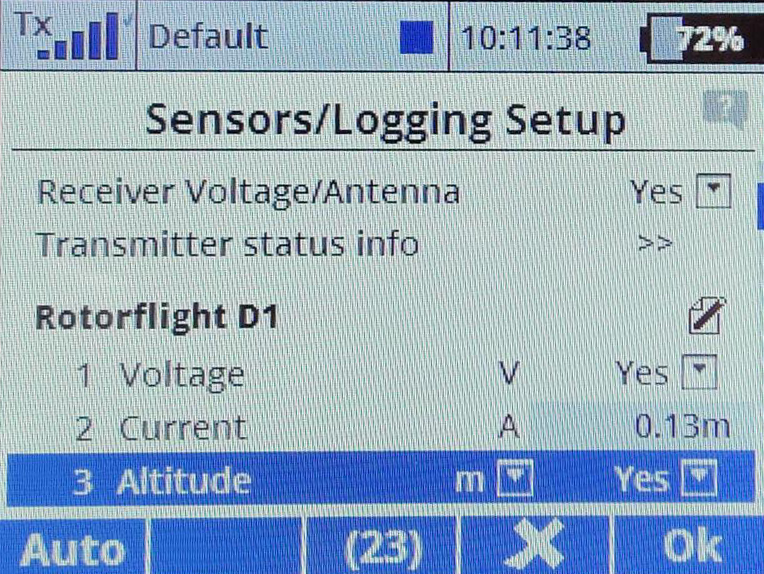
Jeti example
Instructions for Jeti Initial Radio and Configurator Setup, this is a generic setup using a Frsky transmitter with a jeti exbus receiver with a Rotorflight FC. This example shows a Nexus; however, the process is the same for any Rotorflight controller. Please choose the SBUS port related to your FC.
Wiring
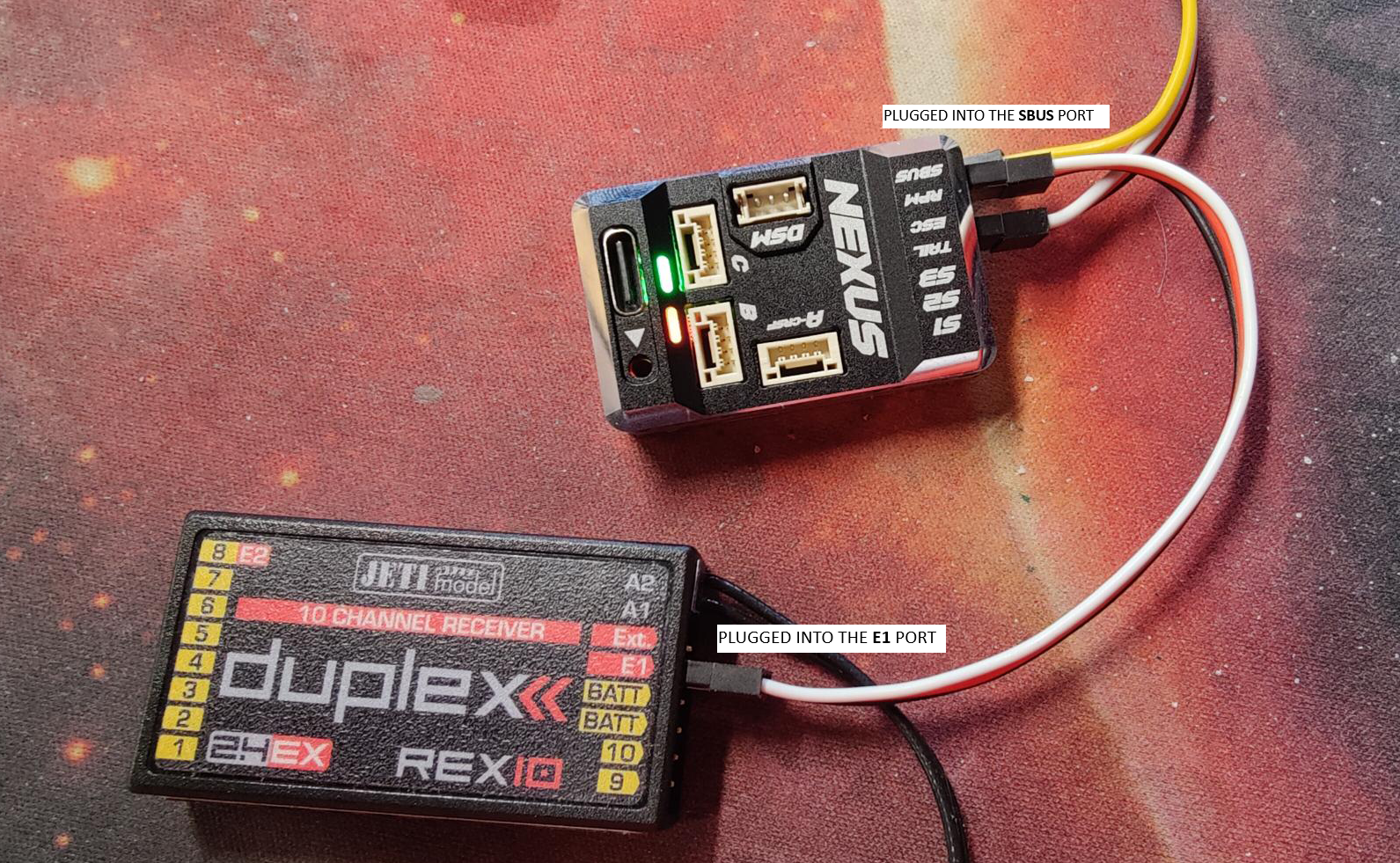
The simplest is to use a male to male servo lead to connect from the SBUS port on the FBL to the E1 port on your receiver.
Transmitter Setup
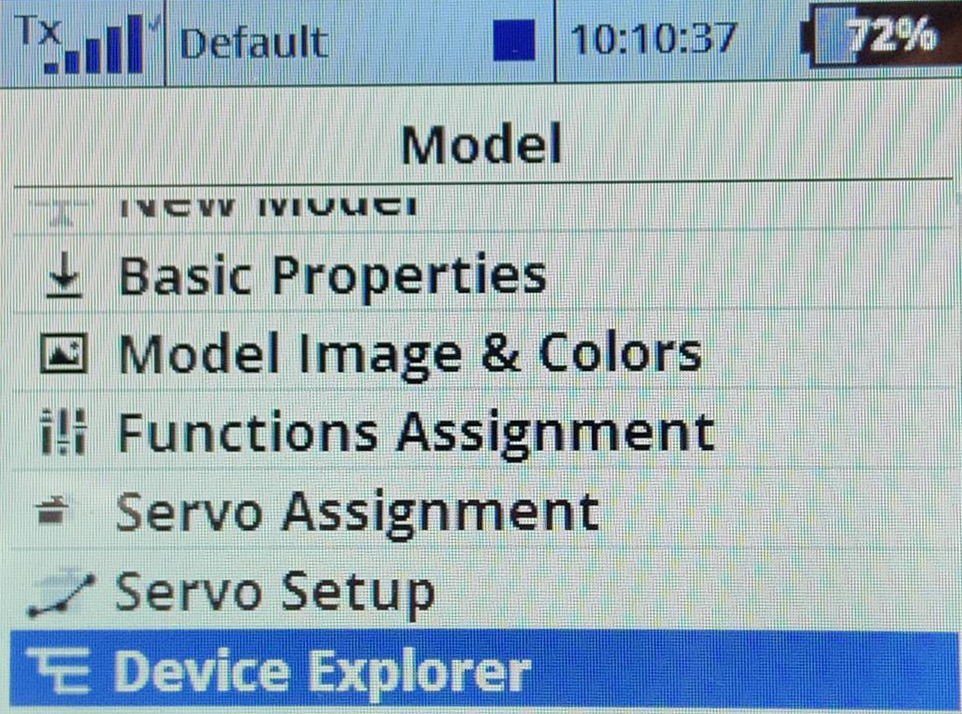
Once your receiver has been bound to the radio; visit the device explorer page.
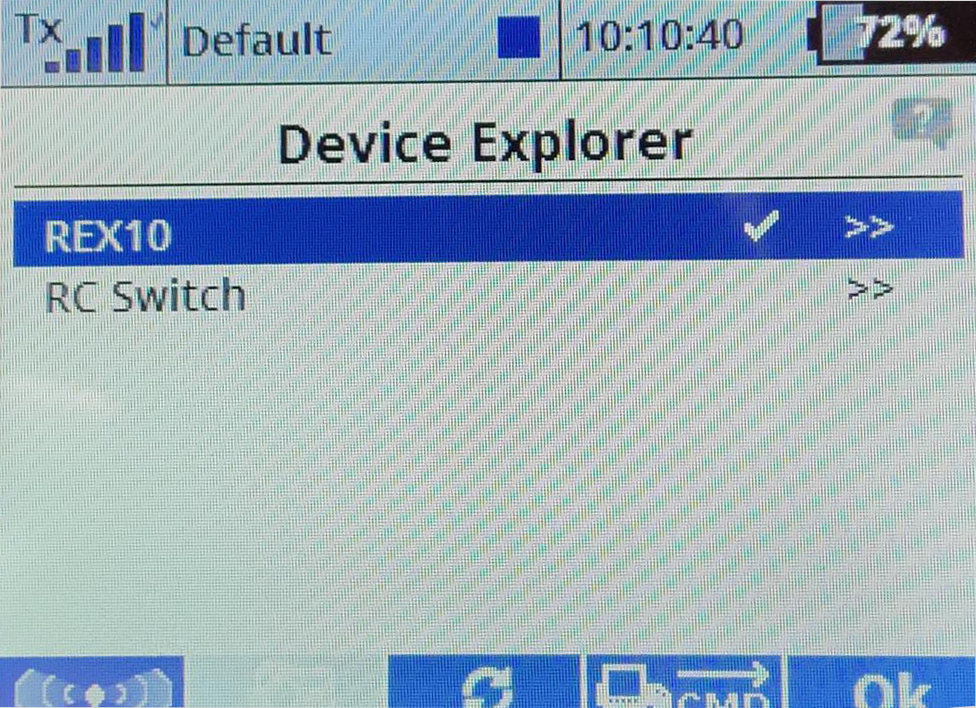
Select Receiver type
Select the receiver
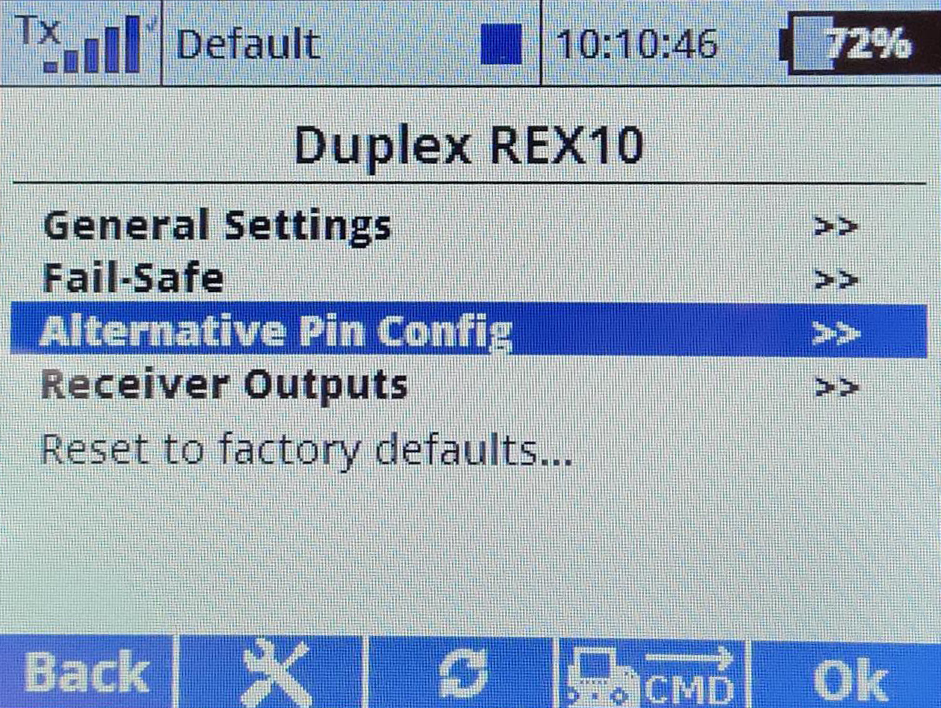
Set alternate pin
Select the alternative pin configuration
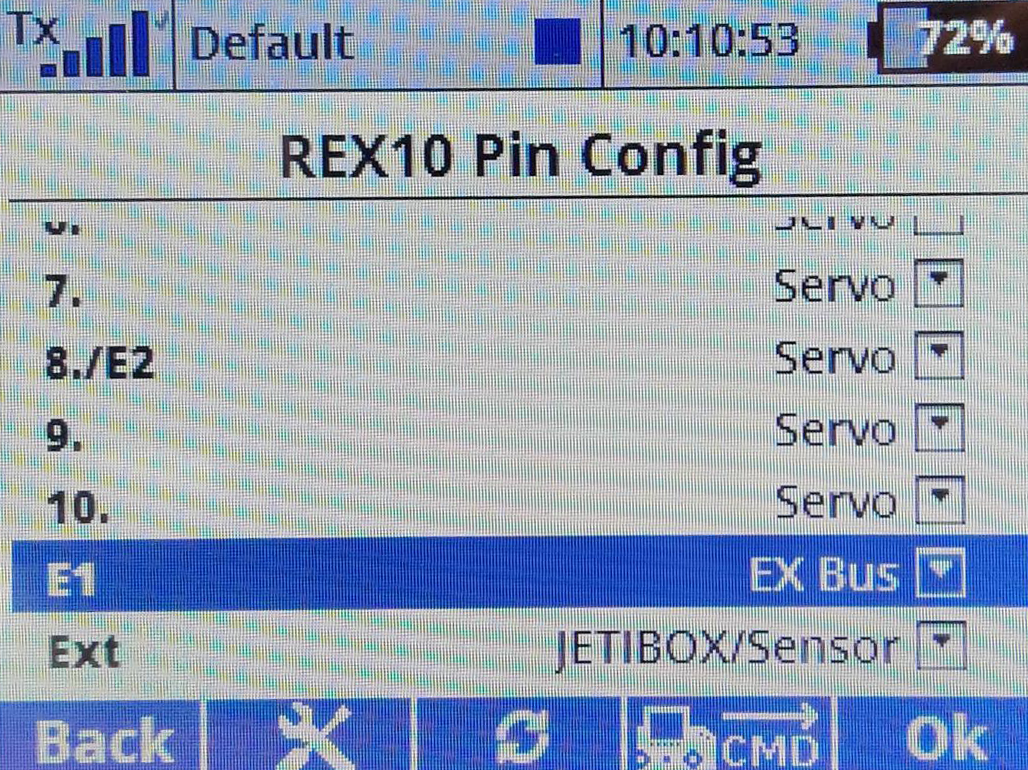
Select ExBus pin
- Set the pin to use the ExBus protocol
Configure the FC
Next steps are to configure the fbl to receive the Exbus signal.
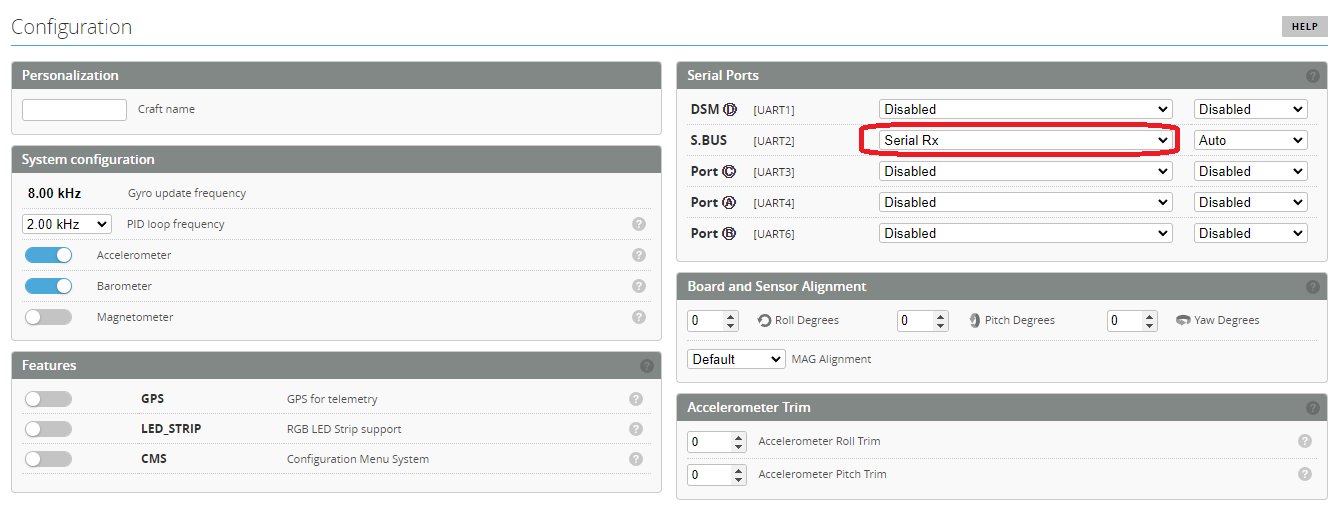
Setup UART ports
Set the SBUS port to be used for serial rx communication
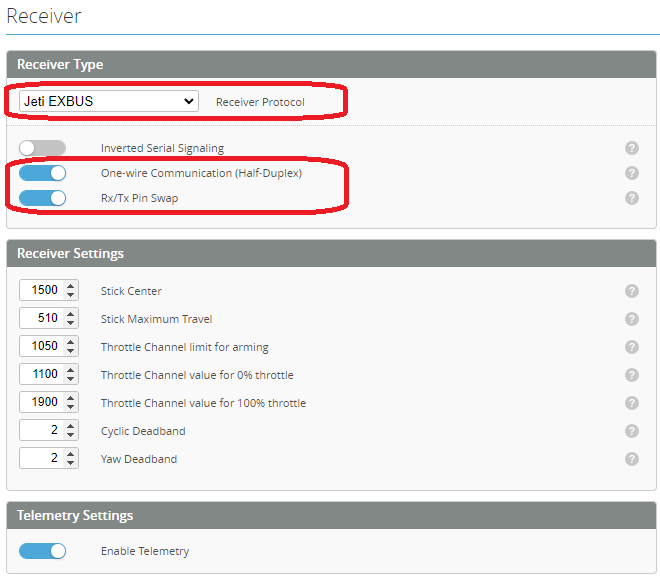
Setup Receiver
Then visit the receiver page and configure as follows
Check sensors
You should now have a control link and telemetry with all the sensors available on your radio.