Rotorflight Lua Suite
The Rotorflight Lua suite puts the flight controller's settings on your FrSky Ethos radio. At the field you can retune PIDs, rates and the governor, change setup, read logs and check the model's status without a computer.
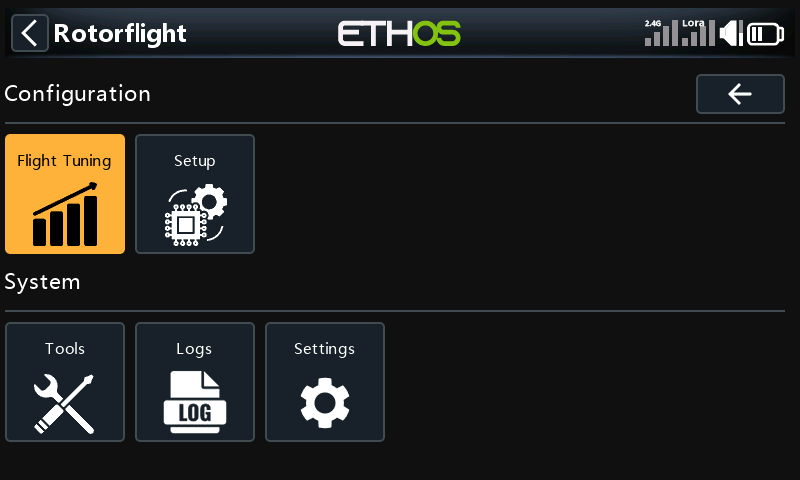
The suite installs three things on the radio:
- The Rotorflight app, opened from the radio's System menu. Its pages read settings from the flight controller over telemetry, let you change them, and save them back. See Using the app.
- A dashboard widget for the model's home screen, showing the arming and governor state, battery, fuel, head speed, profile and flight count at a glance. See Dashboard.
- A background task that keeps the link to the flight controller and plays the callouts and alerts.
What you need
- A FrSky radio running Ethos 1.6.2 or later: X10, X12, X14, X18, X20 or Twin X Lite.
- A receiver that carries telemetry to the radio:
- FrSky, over S.Port or F.Port (ACCESS, ACCST, TD or TW receivers), or
- CRSF v2.11 or newer, or ExpressLRS 3.5.0 or newer, on a module Ethos supports.
- A suite version that matches your firmware. Each release says which firmware it is for.
Where to go next
- Installing: put the suite on the radio and turn it on for your model.
- Using the app: getting around, and how saving works.
- A tour of each part of the app, with the screen for every menu:
- Dashboard: the home-screen widget.
The settings themselves are the same ones the Configurator shows, so each page in the tour links to the matching Configurator page for what they do.